
Ixvara IT Fabric
AI-Powered IT Operations Platform
Ixvara IT Fabric connects service management, endpoints, identity, security, infrastructure, networking, protection and automation into one operating layer for enterprise IT teams and service providers. People and AI understand more of the situation, make better decisions, and take controlled action across the systems already in place.
Why IT operations need one operating layer
The ticket is usually the beginning of the investigation, not the problem itself.
A user reports that an application is down.
The cause might be identity, endpoint state, DNS, network path, a VM, storage, a certificate, a recent change, a security control, a failed service, or something outside the environment entirely.
IT Fabric gathers the relevant context from supported systems and presents the issue as an operating situation rather than a pile of unrelated alerts and console views.
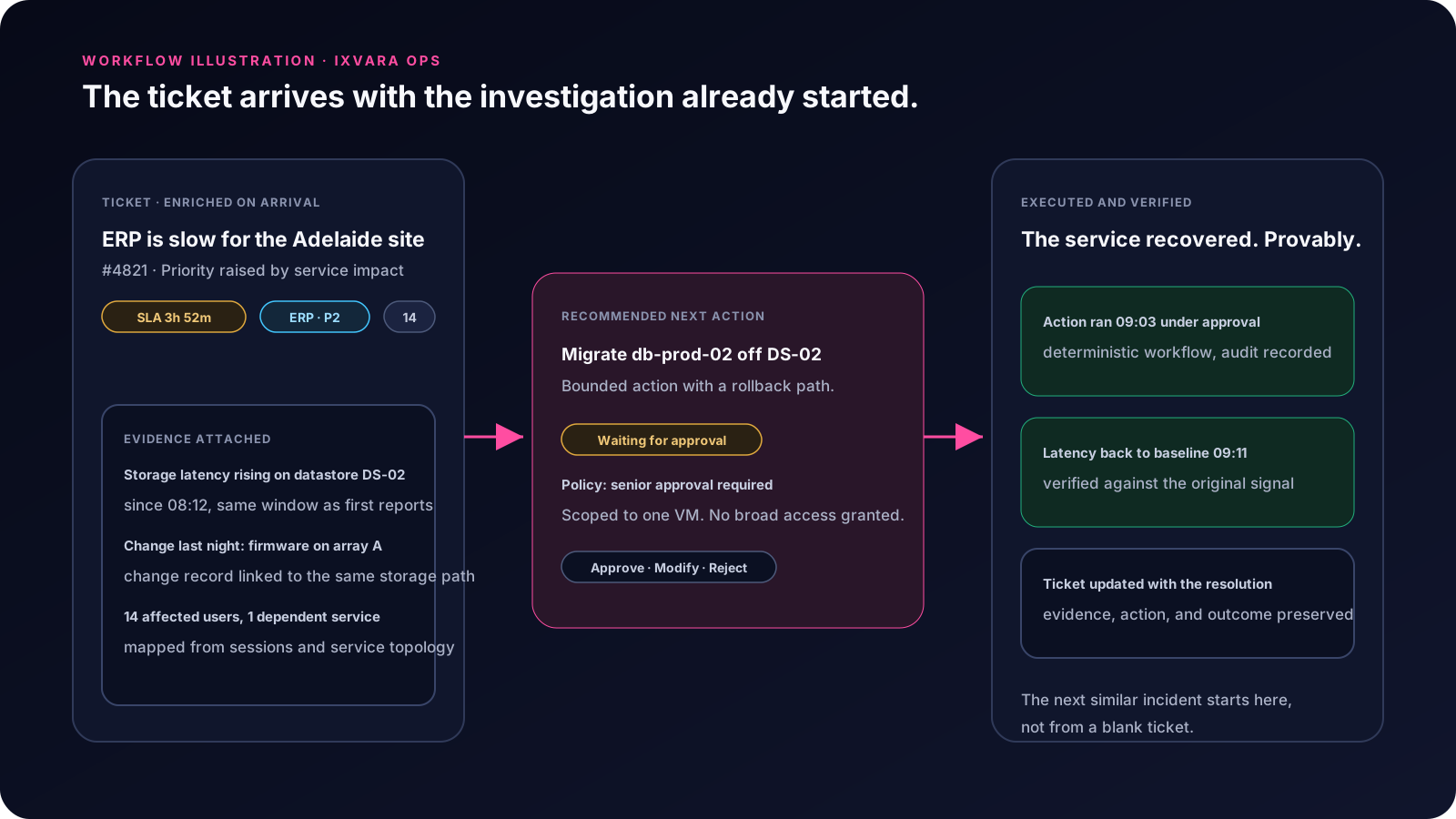
From signal to verified outcome.
- 01
Understand
Gather the relevant evidence and relationships across supported systems.
- 02
Decide
Produce an evidence-backed explanation, recommendation, or next step.
- 03
Govern
Apply tenant, identity, role, policy, risk, and approval requirements.
- 04
Act
Execute supported deterministic actions and workflows.
- 05
Verify and learn
Confirm the supported outcome and preserve what worked for future use.
Evidence before opinion. Authority before consequential action. Verification before closure.
IT Fabric Capabilities
Service Operations
Enrich requests with context before the technician starts from zero. Support triage, knowledge, technician workflows, user self-service, escalation reduction, and controlled resolution.
Explore Service Operations →Endpoint & Identity
Connect users, devices, endpoint state, Microsoft 365, Entra, Active Directory, access, and recent identity activity to the situation being investigated.
Explore Endpoint & Identity →Infrastructure Operations
Understand workloads in the context of hosts, clusters, storage, capacity, hardware, recent change, protection, and the services running above them.
Explore Infrastructure Operations →Network Operations
Connect topology, path, device, interface, configuration, site, and service context so one upstream condition does not become dozens of disconnected incidents.
Explore Network Operations →Security Operations
Bring identity, Microsoft 365, endpoint, vulnerability, infrastructure, network, and change evidence into one investigation and route consequential response through the right controls.
Explore Security Operations →Protection & Recovery
See protection and restore evidence in the context of the service being protected, not simply the status of a backup job.
Explore Protection & Recovery →Workspace Operations
Connect the employee experience to the session, application, profile, VM, GPU, network, identity, and infrastructure underneath it.
Explore Workspace Operations →AI & Governed Automation
Give people and agents useful context, approved tools, policy boundaries, and a way to verify whether an action actually worked.
Explore AI & Governed Automation →Enterprise IT
IT Fabric for Enterprise IT
Enterprise IT does not need another isolated console. IT Fabric helps teams connect operational evidence across functions, standardize investigation, automate repeatable work, and make specialist context available earlier in the workflow.
IT Fabric for EnterpriseMSPs & Service Providers
IT Fabric for MSPs and Service Providers
IT Fabric was born inside an MSP. Multi-customer operations, tenant boundaries, technician context, escalation reduction, repeatable workflows, infrastructure visibility, and service-provider economics are not afterthoughts. The goal is not to remove technicians. It is to stop paying skilled people to repeatedly gather information and perform work software can safely handle.
IT Fabric for MSPs & Service ProvidersIT Operations Integrations
Integrate first; consolidate when it actually makes sense. IT Fabric is designed to connect supported systems already trusted by the organization. The point is not to replace every product. It is to make the operating environment work as a system. Every integration is published with its real status and functional depth, never inferred from a logo.
See the Integration MatrixDeployment Options
Cloud management does not mean every workload or action belongs in the cloud. IT Fabric can use SaaS integrations, local collectors, edge execution, and larger private deployments according to what the environment requires.
Explore IT Fabric DeploymentSee Ixvara IT Fabric in Action
Show us one issue that takes too much effort today. We will focus the demonstration around the systems, evidence, decisions, and actions involved in that workflow.